KIOSK STATUS
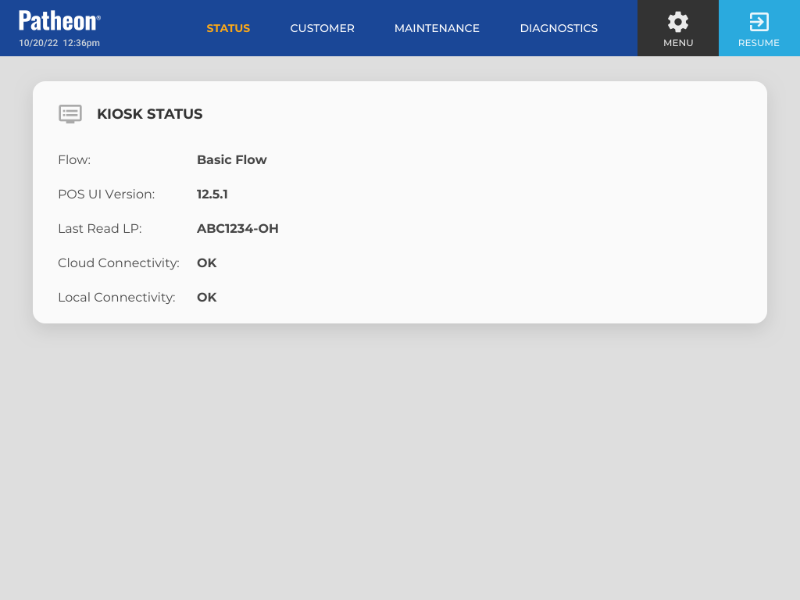
The Kiosk Status panel provides information about the current state of a kiosk terminal, including the active workflow, POS UI software version, vault and external door status, and the operational status of kiosk services and devices. The panel includes separate Services and Devices tabs, allowing attendants to quickly identify service errors, stopped processes, and other system conditions that may require troubleshooting.
Out of Service Messages
If a kiosk terminal enters an Out of Service (OOS) state, a kiosk attendant can select the Help button and navigate to the Kiosk Status panel, where they can view the cause(s) of the Out of Service state. When a kiosk terminal is not in an OOS state, all critical services are listed as Running.
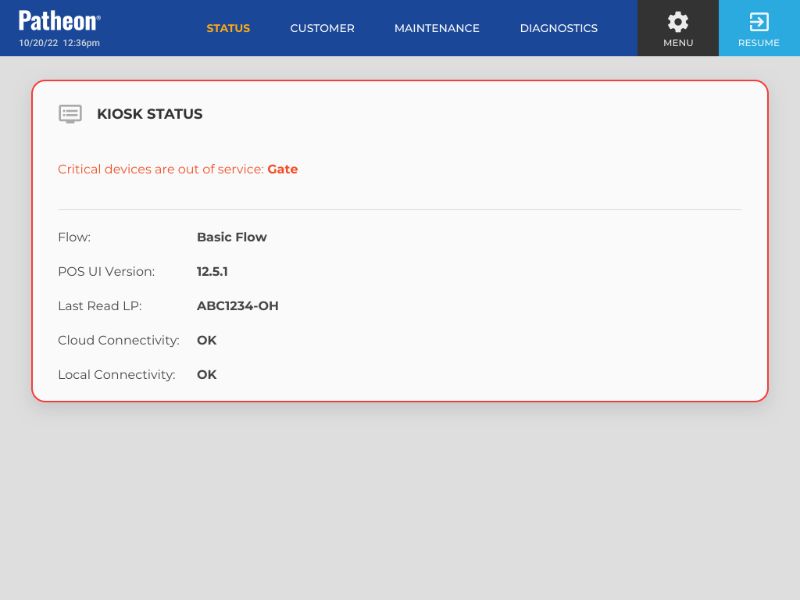
Note: Kiosk attendants can navigate to the Quick Status panel for any Out of Service cause, except IOModule out of service failures.
Flow
View the current workflow assigned to the kiosk, for example, Basic Workflow.
POS UI Version
The point-of-sale version running for this kiosk terminal.
Vault Door
Identifies the current state of the kiosk vault door, including whether the door is open or closed and whether it is locked or unlocked.
- Green: Closed/Locked
- Yellow: Attention is needed before the kiosk can be put back into service.
- Open/Unlocked
- Closed/Unlocked
- Red: Open/Locked - indicates possible hardware issue, as this should not be a valid state.
External Door
Identifies the current state of the external kiosk door, including whether the door is open or closed and whether it is locked or unlocked.
- Green: Closed/Locked
- Yellow: Attention is needed before the kiosk can be put back into service.
- Open/Unlocked
- Closed/Unlocked
- Red: Open/Locked - indicates possible hardware issue, as this should not be a valid state.
Services
The Services tab displays the operational status of the kiosk services, allowing attendants to identify running, stopped, and error conditions that may affect kiosk operation.
- Running: The kiosk service is running and operating normally.
- Stopped: The kiosk service is not running.
- Error: The kiosk service has encountered an error and is not operating normally.
Devices
The Devices tab displays the operational status of the configured kiosk devices, allowing attendants to identify connected, degraded, offline, and error conditions that may affect kiosk operation. Device names are hyperlinks to the corresponding device diagnostics panel. If the attendant is not already logged in, they are prompted to enter their credentials before the diagnostics panel opens.
- Connected: The kiosk device is connected and operating normally.
- Degraded: The kiosk device is connected but is not operating normally.
- Offline: The kiosk device is not connected or is unavailable.
- Error: The kiosk device has encountered an error and is not operating normally.