Create a Wash Service
Use these steps to add a wash service in the Service Details panel. The service can then be assigned to a product in its Product Details panel.
- Log In to Patheon Portal.
- Select Configuration.
- Select Services. The services panel opens.
- Select . The service details panel opens.
- In Type*, select Interior, Override, or Wash.
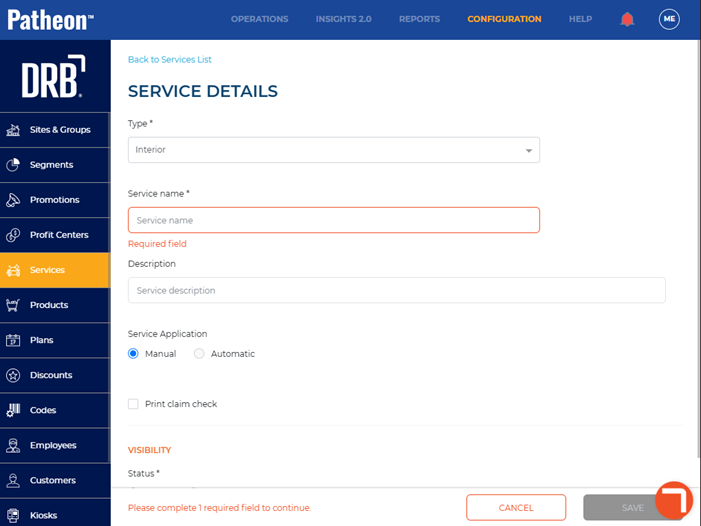
- In Service name*, enter the name of the service, such as Interior Vacuum.
- In Service Application, select Manual. Note: Automatic application is not supported for interior services.
- Select Print claim check if you want a claim check receipt to print for the customer.
- Select . The services panel opens and the new service appears in the Services list.