Duplicate an Existing Promotion Flow
Use these steps to duplicate an existing promotion flow. The provides sites the ability to reuse proven setups for seasonal or campaign-specific promotions. The duplication process can be started from the promotional flow panel in Patheon Portal, and both active and inactive kiosk flows can be copied. After duplication, the system opens the new flow in the create flow panel with a name similar to Copy + time stamp, assigns it the lowest priority, and does not copy site assignments. The duplicate flow is not published by default: it will appear as Draft if required fields are missing or Ready to publish if the required information is complete, and the option will stay disabled until sites are selected.
- Log In to Patheon Portal.
- Select .
- Select Kiosks. The flows list panel opens.
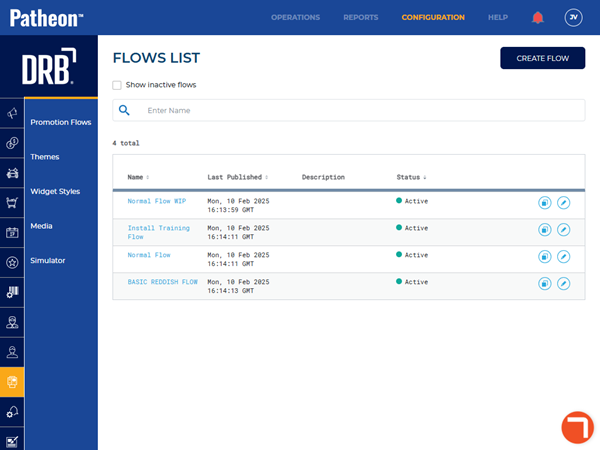
- Select Promotion Flows. The promotion flows panel opens.
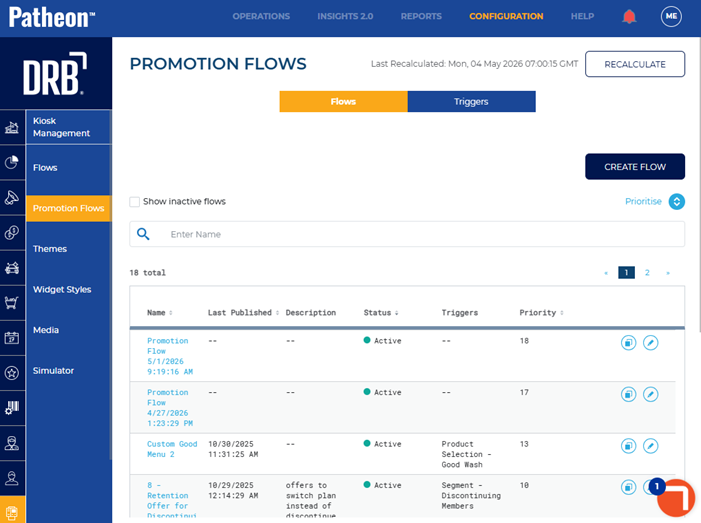
- Locate the flow to duplicate and select duplicate (
 ). The create flow panel opens.
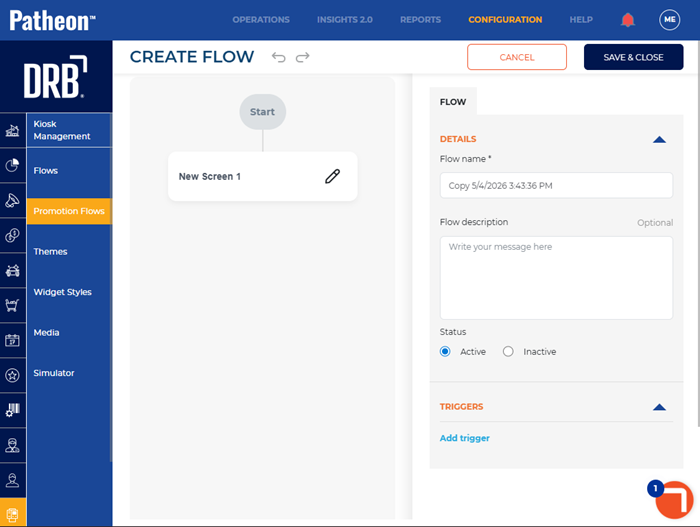
- Change the settings for the new flow.
- Select . The promotion flows panel opens and the newly saved flow displays in the Flows list.
- Select the flow from the list. The promotion flow panel opens.
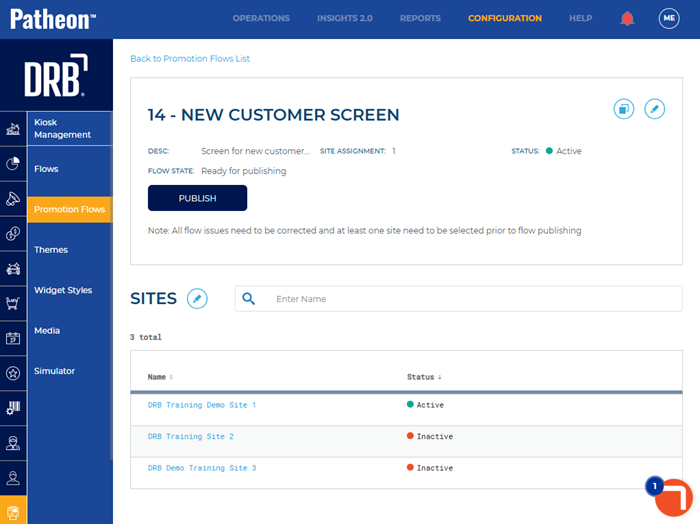
- Select .