Enable or Disable Cash Acceptance Feature for Tablets
Use these steps to enable or disable the cash acceptance feature for tablets. When the cash acceptance feature is enabled, sites can accept cash payments directly on tablets without needing to go inside to use the cash drawer. Note: The cash acceptance feature is disabled by default.
- Log In to Patheon Portal.
- Select .
- Select Site Hardware. The site hardware panel opens.
- Select the desired tablet from the site hardware list. The site hardware details panel opens.
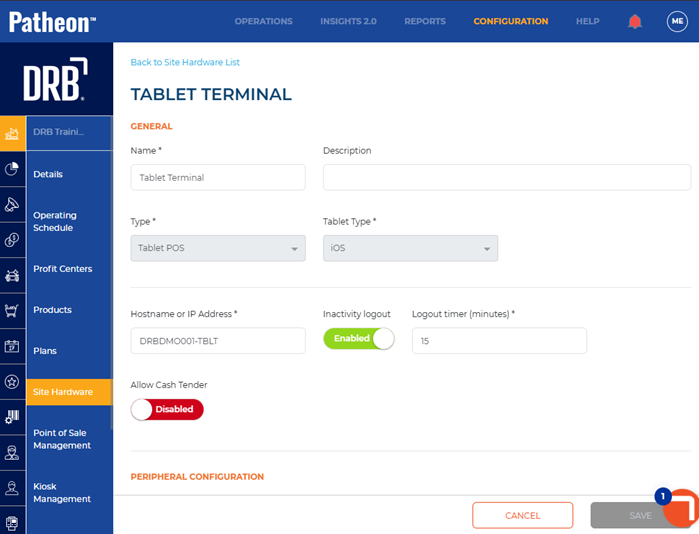
- Select the Allow Cash Tender toggle to enable the feature. The toggle turns green and reads Enabled.
- To disable the feature, select the Allow Cash Tender toggle. The toggle turns red and reads Disabled.
- Select . The site hardware panel opens.