Enable Washing Unpaid Transactions
Use these steps to enable unpaid transaction washing for a tunnel. When this setting is enabled, attendants can release an unpaid sale that includes an automatic wash service, and Patheon adds the vehicle to the queue based on the terminal's queue settings. Note: This setting is disabled by default.
- Log In to Patheon Portal.
- Select .
- Select Site Hardware. The site hardware panel opens.
- Select edit (
 ) next to the applicable hardware. The site hardware details panel opens.
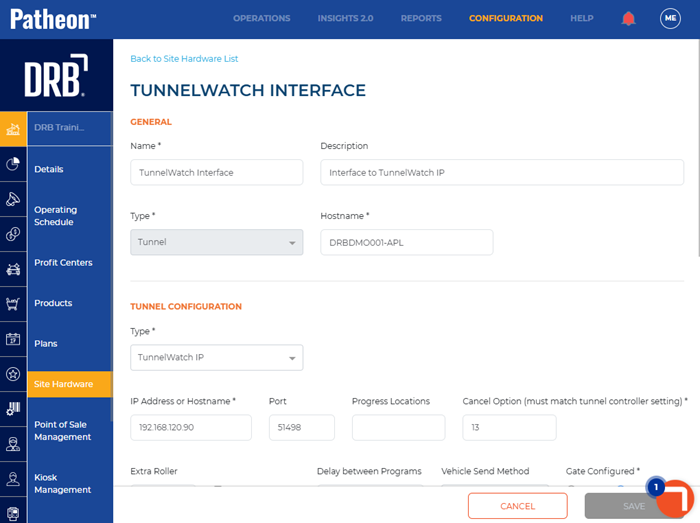
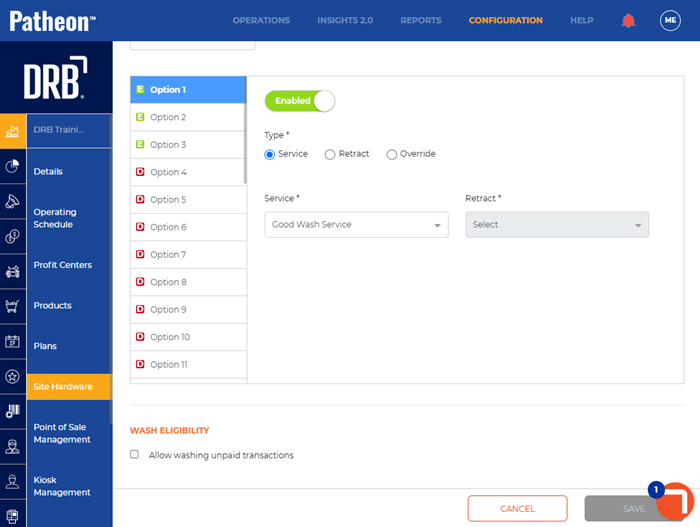
- Navigate to the wash eligibility section.
- Select Allow washing unpaid transactions.
- Select .