Credit Card Report
The Credit Card Report provides a detailed view of payment card charges, including normal sale charges, recurring wash plan subscription renewal charges, and partial approval charges. Generate the report for all payment card activity, specific charge activity, or specific payment card account activity. Note: The data rows can't be expanded to display the specific transaction details associated with the payment card activity.
- Generate for single site, multiple sites, all sites, a site group, multiple site groups, or all site groups
- Generate for single date or range of dates
- Generate for last 4 digits of a payment card
- Generate for card processing status
- Export a generated report to CSV, HTML, PNG, MHT, PDF, RTF, TXT, XLS, XLSX, or DOCX
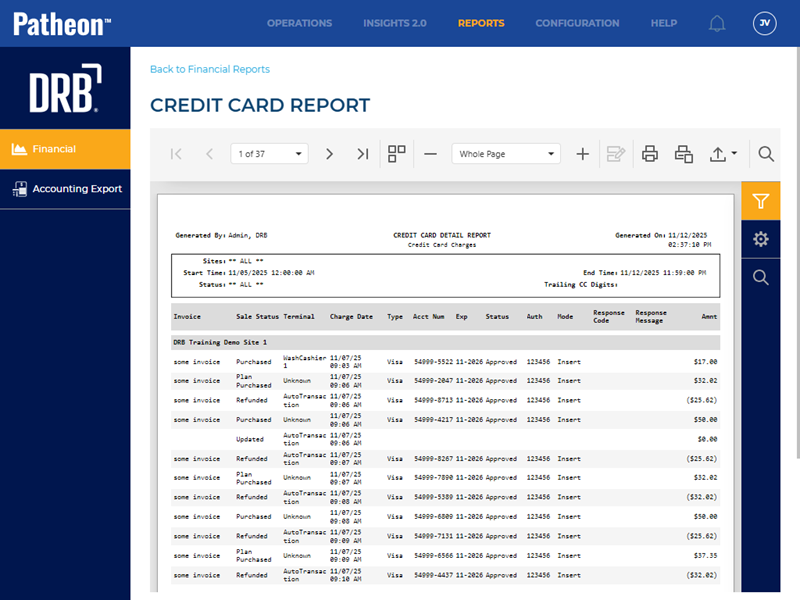
All Patheon Portal paginated financial reports include a set of functions to navigate report pages, resize the report view, print the report, and export the report. See Financial Report Viewer Tools for detailed information about each tool.
Report Parameters and Tools
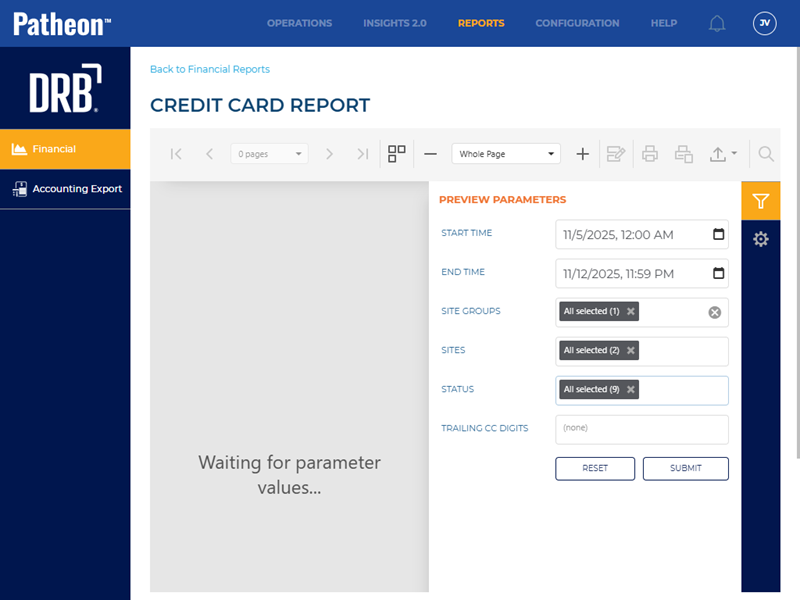
The Credit Card Report tools include Preview Parameters (report time range, site group(s), site(s), terminals), Export Options, and Search. The Preview Parameters section opens by default when the Credit Card Report is selected from the list of financial reports, instructing, Waiting for parameter values....
PREVIEW PARAMETERS
The Credit Card Report parameters consist of a start date, end date, sites, card status, and trailing digits.
START TIME
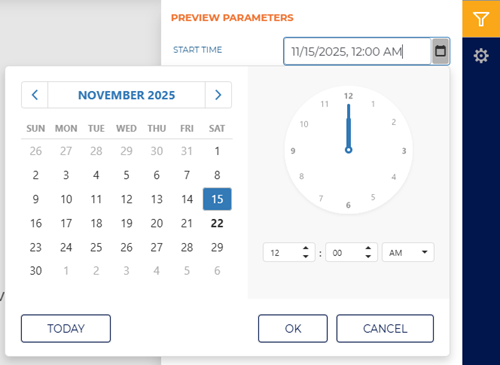
The beginning date and time for the report. Select the date and time box to open a date and time modal.
END TIME
The ending date and time of the report. Select the date and time box to open a date and time modal.
Enter the same date as the Start Date to generate a report for a single day.
SITE GROUPS
Select the site groups box to open a drop-down list of site groups. Select a single site group, multiple select site groups, or all site groups to include for the report.
SITES
Select the site box to open a drop-down list of sites. Select a single site, multiple select sites, or all sites to include for the report.
STATUS
Select a specific card status, multiple select card statuses, or all card statuses for the report.
- Select All
- (empty)
- Approved
- Partial Approved
TRAILING CC DIGITS
Enter the last 4 digits of a payment card to generate the report for a specific card account.
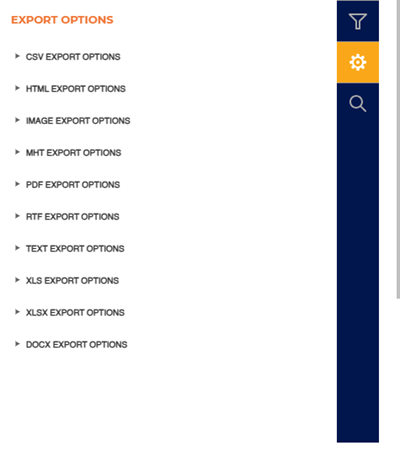
EXPORT OPTIONS
The Export Options section provides the ability to export a generated Bank Deposit Report to any of the following file formats:
- CSV
- HTML
- PNG
- MHT
- RTF
- TXT
- XLS
- XLSX
- DOCX
SEARCH
The Search section provides the ability to quickly locate a specific piece of text or data in the generated report.
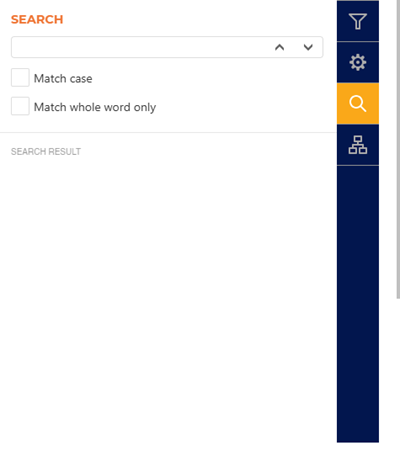
Text Box
The text box provides a field to input the search criteria. Select Enter on a keyboard or use the provided ^ function or v function to invoke the search.
^ | v
Invoke the search function for the generated report, up or down.
Match case
Select the Match case option to only identify exact uppercase and/or lowercase matches in the results.
Match whole word only
Select the Match whole word only option to only identify exact text matches in the results.
Search Result
The Search Result area lists all search matches in the report. Each match identifies the page on which it is located, and the match is a link that can be selected to highlight its location on the generated report (in the report viewer).
Report Header
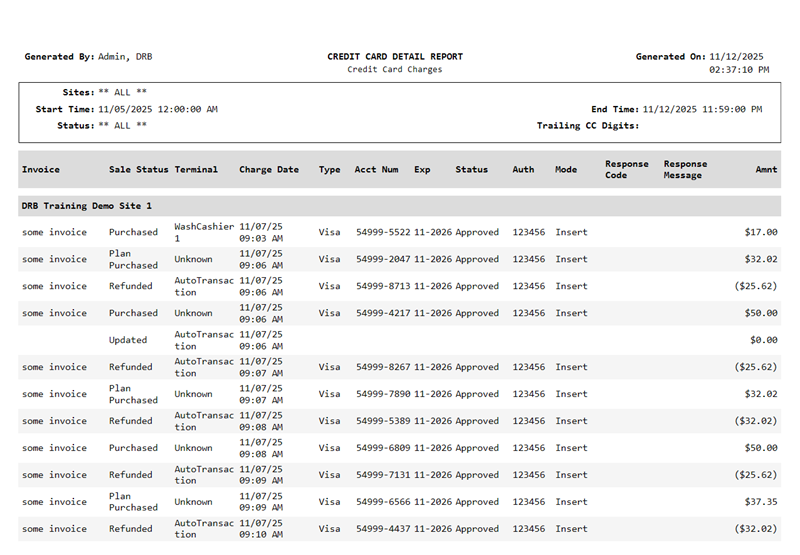
The first page header of the Transaction Report includes a Title, Subtitle, Report Generated, Generated By, Sites, Start Date, and End Date. If the report spans multiple pages, the header for all subsequent pages includes the Title, Report Generated, and Generated By.

Title
The title of the report is Credit Card Detail Report.
Subtitle
The subtitle of the report is Credit Card Charges.
Report Generated
The date on which the report was generated, in mm/dd/yyyy format.
Generated By
The employee who generated the report.
Sites
The site(s) for which the report was generated.
Start Date | End Date
The start date and end date for which the report was generated.
Report Data
The Credit Card Report data consists of cash device statuses, repositories, starting balances, cash received amounts, and more.
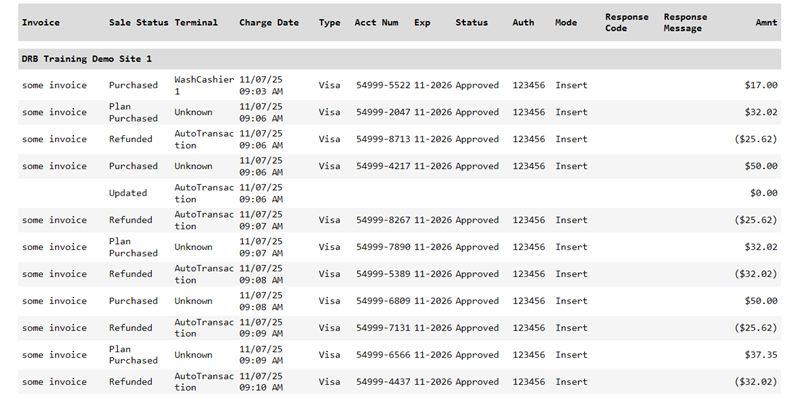
Invoice
The invoice for the credit card transaction.
Sale Status
The sale type, for example, Purchased, Plan Purchased, Refunded, or Reloaded.
Terminal
The name of the terminal where the credit card transaction occurred. For recurring plan renewals, the terminal is Recurring payment.
Charge Date
The date and time the credit card transaction occurred.
Type
The credit card brand type, for example, Visa or MC.
Acct Num
The first 5 digits and last 4 digits of the credit card account number.
Exp
The credit card's expiration month and year.
Status
The response provided by the credit card processor.
Auth
The authorization.
Mode
The method used to capture the credit card, for example, Insert.
Response Code
The response code provided by the credit card processor, for example, 000. This corresponds to the Response Message.
Response Message
The response message provided by the credit card processor, for example, Approved. This corresponds to the Response Code.
Amt
The dollar amount of the credit card transaction. Refund amounts are enclosed within parentheses, for example, ($25.75).
Report Footer
Page numbers are provided at the bottom of each report.
