Prepaid Product Balance Report
The Prepaid Product Balance Report provides a way for sites to view a specific prepaid's, gift card's or ticket book's balance and activity. Use this report to quickly and easily reconcile prepaids.
- Generate for a single, specific code: prepaid, gift card, or ticket book
- Export a generated report to CSV, HTML, PNG, MHT, PDF, RTF, TXT, XLS, XLSX, or DOCX
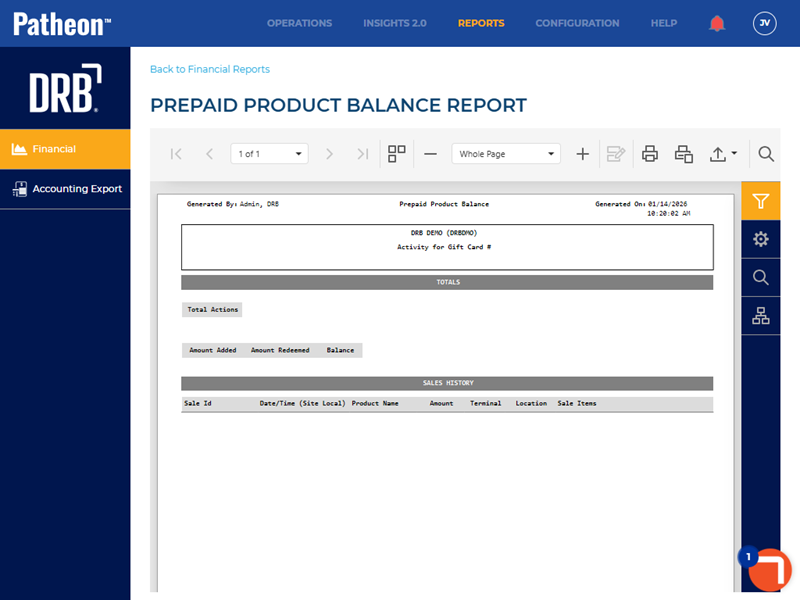
All Patheon Portal paginated financial reports include a set of functions to navigate report pages, resize the report view, print the report, and export the report. See Financial Report Viewer Tools for detailed information about each tool.
Report Parameters and Tools
The Prepaid Product Balance Report tools include Preview Parameters (report time range, site group(s), site(s), terminals), Export Options, and Search., and Document Map. The Preview Parameters section opens by default when the Prepaid Product Balance Report is selected from the list of financial reports, instructing, Waiting for parameter values....
PREVIEW PARAMETERS
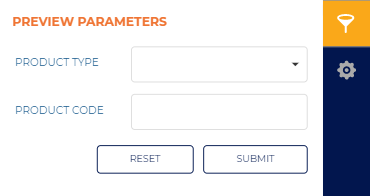
The Preview Parameters section provides the ability to specify the prepaid product type and specific code for a generated Prepaid Product Balance Report.
PRODUCT TYPE
Select the box to open a drop-down list of prepaid product types: Prepaid, Gift Card, or Ticket Book.
This setting is blank by default.
Prepaid
Select Prepaid to generate the report for a specific prepaid code.
Gift Card
Select Gift Card to generate the report for a specific gift card code.
Ticket Book
Select Ticket Book to generate the report for a specicic ticket book code.
PRODUCT CODE
Enter the specific prepaid, gift card, or ticket book code value for which the report is being generated.
Important: A valid, full code must be entered to generate the report. The report will not generate for a partial code.
This setting is blank by default.
|
Use the function to clear all Preview Parameters settings. Use the function to generate the report for the Preview Parameters current settings.
EXPORT OPTIONS
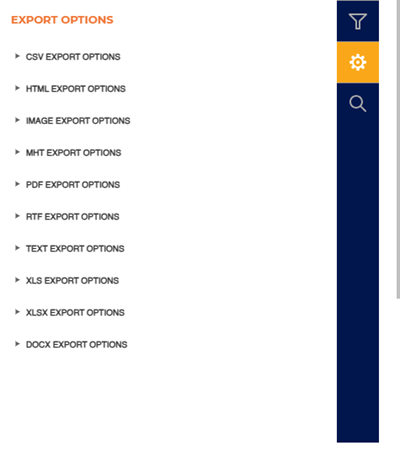
The Export Options section provides the ability to export a generated Prepaid Product Balance Report to any of the following file formats:
- CSV
- HTML
- PNG
- MHT
- RTF
- TXT
- XLS
- XLSX
- DOCX
SEARCH
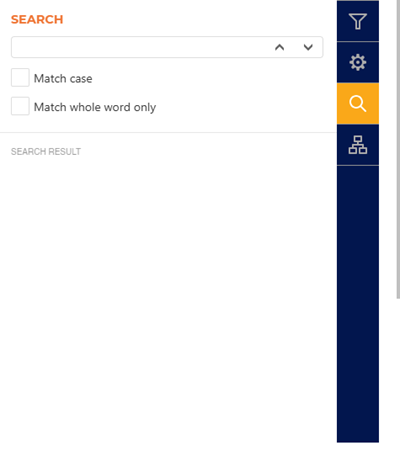
The Search section provides the ability to quickly locate a specific piece of text or data in the generated report.
Text Box
The text box provides a field to input the search criteria. Select Enter on a keyboard or use the provided ^ function or v function to invoke the search.
^ | v
Invoke the search function for the generated report, up or down.
Match case
Select the Match case option to only identify exact uppercase and/or lowercase matches in the results.
Match whole word only
Select the Match whole word only option to only identify exact text matches in the results.
Search Result
The Search Result area lists all search matches in the report. Each match identifies the page on which it is located, and the match is a link that can be selected to highlight its location on the generated report (in the report viewer).
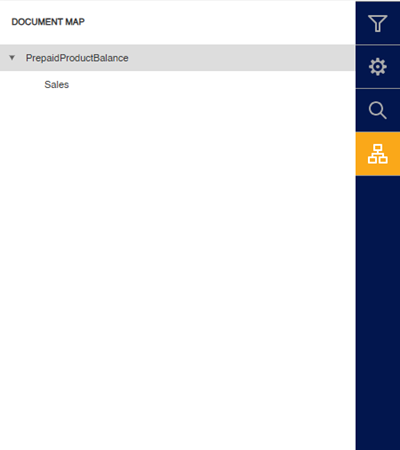
DOCUMENT MAP
The Document Map section provides the ability to quickly navigate to a specific section of a generated report.
Report Header
The first page header of the report includes Generated By, report title, Generated On, Site, and prepaid type and code.

Generated By
The employee who generated the report.
Prepaid Product Balance
The title of the report is Prepaid Product Balance.
Generated On
The date and time on which the report was generated, in mm/dd/yyyy format and hh:mm:ss AM/PM format.
Site Name (Organization Code)
The site(s) for which the report was generated.
Activity for Gift Card | Prepaid | Ticket Book #
The prepaid type and specific code for which the report was generated.
Report Data
The Prepaid Product Balance Report data consists of a TOTALS section and SALES HISTORY section.
TOTALS
The TOTALS section provides a summary of all activity involving the prepaid code for which the report was generated.

Total Actions
The count of all activity for the prepaid code.
Amount Added
The total dollar amount, or units, added/activated for the specific code. The value is presented in dollar amount for gift cards and units for prepaids and ticket books.
Amount Redeemed
The total dollar amount or units redeemed for the prepaid code.
Balance
The amount in dollars or units remaining for the prepaid code.
SALES HISTORY
The SALES HISTORY section provides detailed information of each transaction involving the prepaid code for which the report was generated.
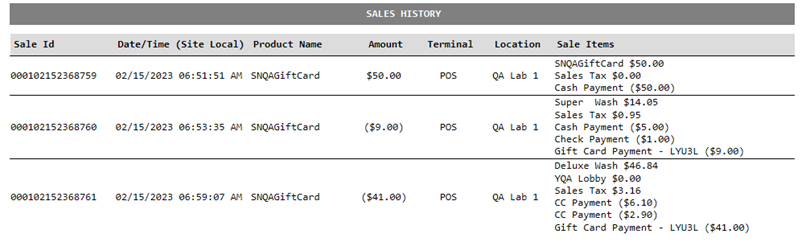
Sale Id
The unique numeric code for the transaction that, the code was either used or active in. (Codes that are activated without a transaction will not have a Sale Id populated.)
Date/Time (Site Local)
The date and time of each transaction in which the prepaid code was activated, redeemed, or had value added.
Product Name
The name of the product that is attached to the specific code entered in the report parameters.
Amount
The dollar or units added or removed to that code for that specific code.
Terminal
The Terminal in which the consumer purchased or used the code at.
Location
The Site name where the code was purchased, used or reloaded at.
Sale Items
The products that went into the transaction when that code was used, purchased, or reloaded.