Assign a Vehicle to a Non-Plan Sale
Use these steps to assign a vehicle to a non-plan sale on a cashier terminal.
- Log in to the cashier application.
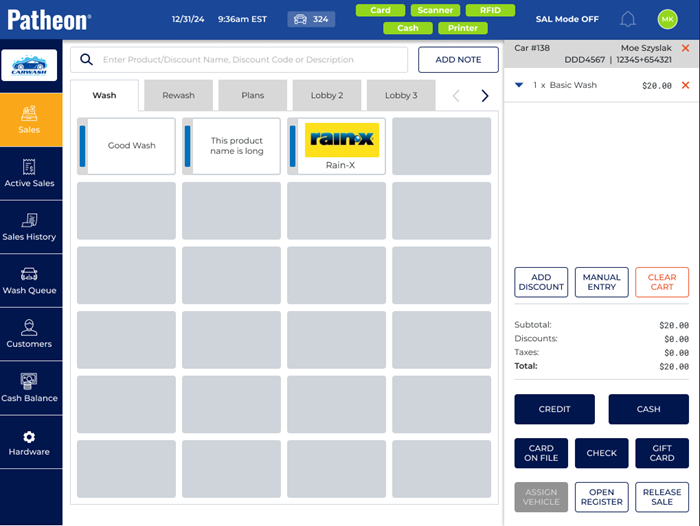
- Select Sales. The Sales panel opens.
- Select the Wash tab.
- Select the wash to add to the sale. The wash is added to the cart.
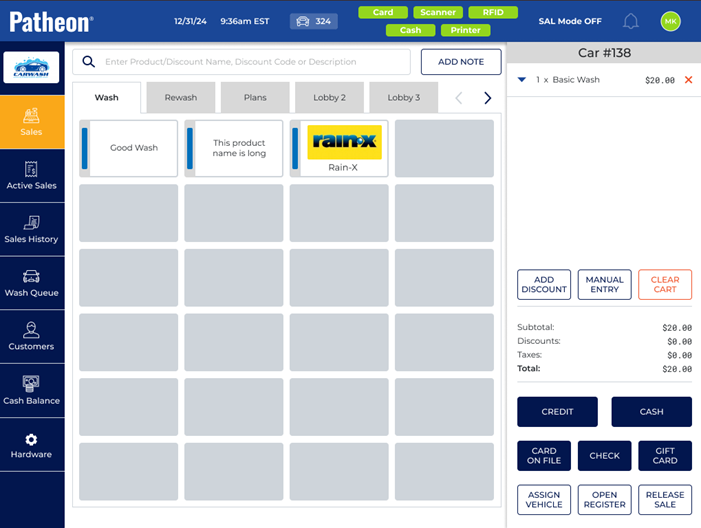
- Select . The assign vehicle panel opens.
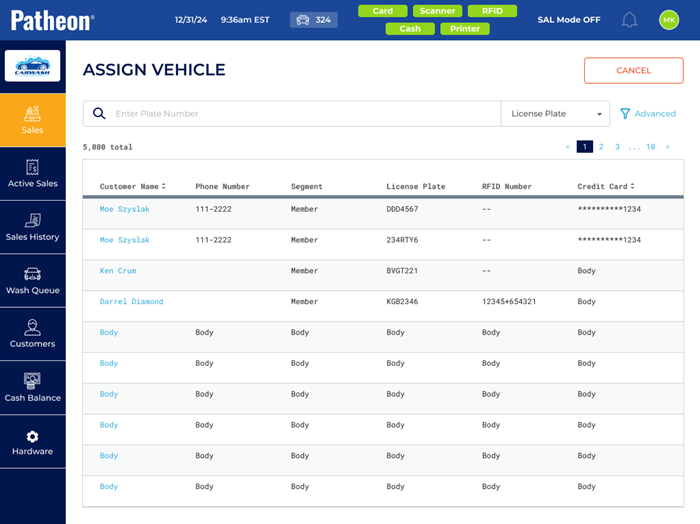
- Use the search bar to search for the customer by license plate, name, phone, RFID number, or credit card.
- If the customer is not already saved, the option to add a new vehicle opens.
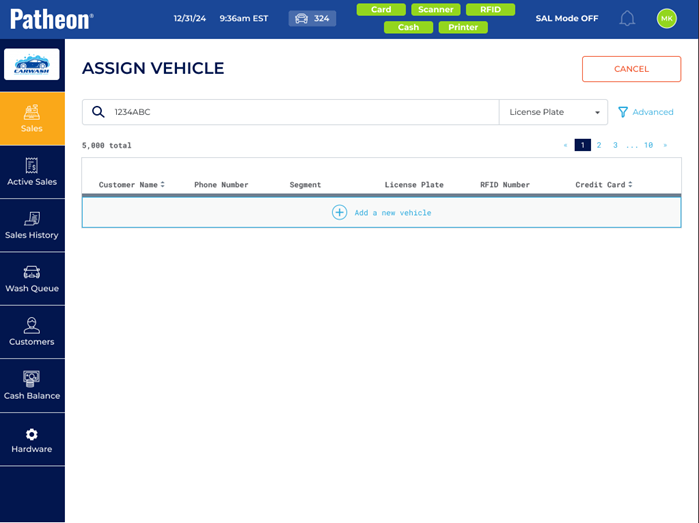
- Select + Add a new vehicle. The Assign Vehicle panel opens.
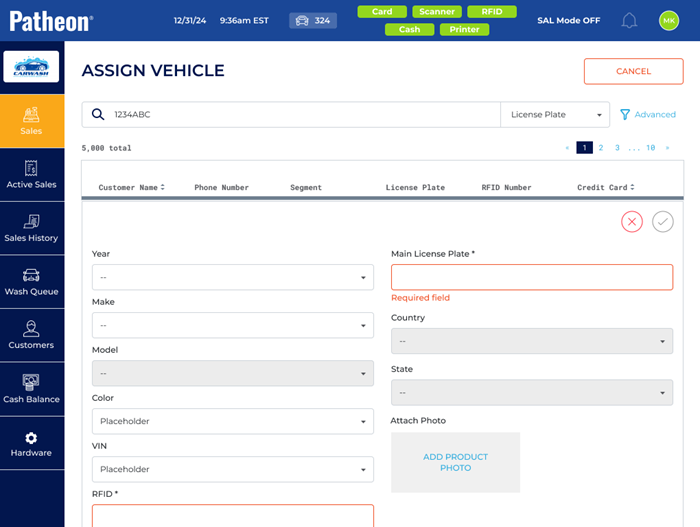
- In Main License Plate*, enter the license plate number.
- In Country*, select the customer's country.
- In State*, select the customer's state.
- Select
 to save. The sales panel opens and the vehicle is assigned to the sale.
- Tender the sale.