Sell an Interior Product
Use these steps to add an interior product to a sale at a cashier terminal. Interior products can include vacuums, dashboard wipes, interior cleaning sprays, or cleaning gel for vents and consoles.
- Log in to the cashier application.
- Select Sales. The Sales panel opens.
- Select the Interior tab.
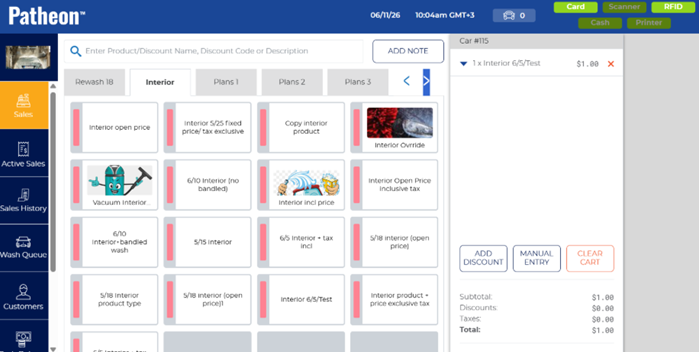
- Select the interior product to add to the sale. Note: Products with a folder icon have multiple variations, for example, different scented air fresheners. Selecting the product opens a dialog from which to select the specific variation of the product.
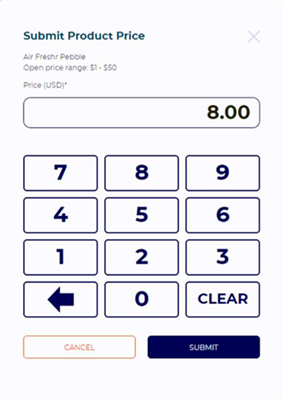
- Select the specific product from the dialog. If the interior product is open priced, a Submit Product Price dialog opens; enter the price and select . The interior product is added to the cart.
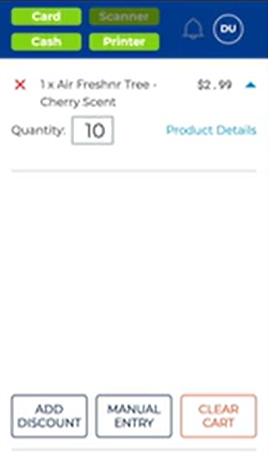
- Tip: Select the expand function (
 ) next to the product in the cart to edit the quantity being sold.
- Tender the sale