Create an Interior Bundle with a Wash Service
Use these steps to create an interior product bundled with a wash service.
- Log In to Patheon Portal.
- Select Configuration.
- Select Products. The products panel opens.
- Select . The product details panel opens.
- In Product Name*, enter a name for the product, such as Int. Vac & Good Wash.
- In Product Type*, select Interior.
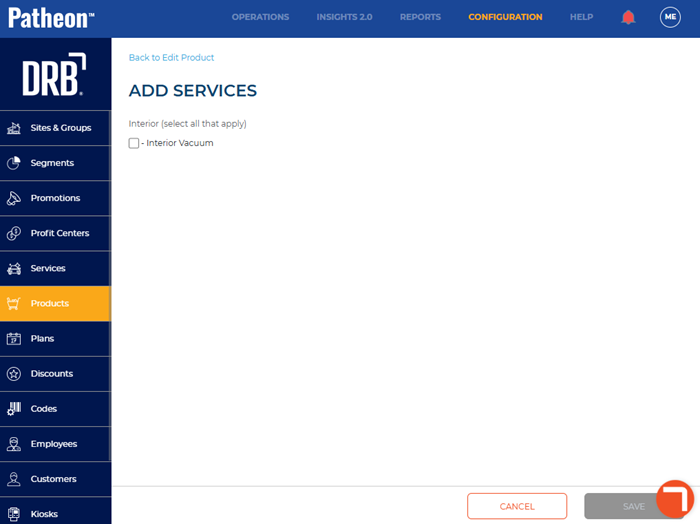
- In Services included*, select . The add services panel opens. Note: A service must already be created before you can complete this step; see Create a Wash Service for related information.
- Select the service(s) to add, for example, Interior Vacuum.
- Select . The product details panel opens.
- Navigate to the bundled items section.
- Select add (
 ) next to the wash you want to bundle the interior product with, such as Good Wash.
 - Navigate to the sales tax section.
- In Apply Tax Code(s)*, select Yes.
- From the Tax Codes list, select add () next to the the appropriate tax code, such as Car Detailing Services. Note: Don't select tax codes for both the wash and the detail. The wash tax settings are already configured.
- In Percentage of Taxes*, enter 100.
- Navigate to the pricing & tax section.
- In Tax Inclusive Price*, select Yes.
- In Open Price*, select No or Yes. Note: Select No if the product should be a flat price. Select Yes if the product should have a minimum and maximum price.
- If Open Price* is set to No, in Price (USD)*, enter the price of the product, such as 5 for $5 USD.
- If Open Price* is set to Yes, in Min. Price (USD)*, enter the minimum price, such as 3 for $3 USD.
- If Open Price* is set to Yes, in Max. Price (USD)*, enter the maximum price, such as 10 for $10 USD.
- In Profit Center 1*, select Interior Cleaning.
- Select . The Product Added dialog opens.
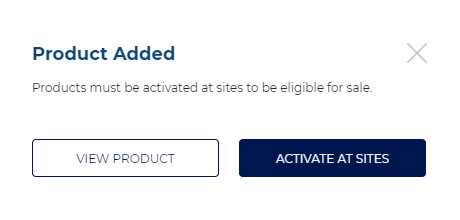
- Select . The activated sites panel opens.
- Select desired sites.
- Select . The Are you sure? dialog opens.
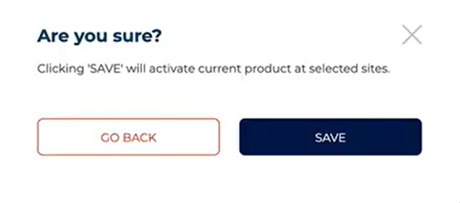
- Select . The product details panel opens.