Configure a Retention Promotion for EWA Plan Cancellation Attempts
Use these steps to configure a retention discount promotion in Patheon Portal. This promotion can help reduce voluntary plan churn by automatically offering a customer a plan discount if they attempt to cancel their plan from the EWA customer app. This discount can even be offered for plans that are already discounted.
Requirements
An active wash plan discount must be added and configured in Patheon before the retention discount promotion can be configured.
Steps
Use the following steps add and configure a retention discount promotion.
Open the PROMOTIONS Panel
- Log In to Patheon Portal.
- Select .
- Select Promotions. The promotions panel opens.
Configure the Retention Promotion Conditions
- Select . The add promotion (1 conditions) panel opens.
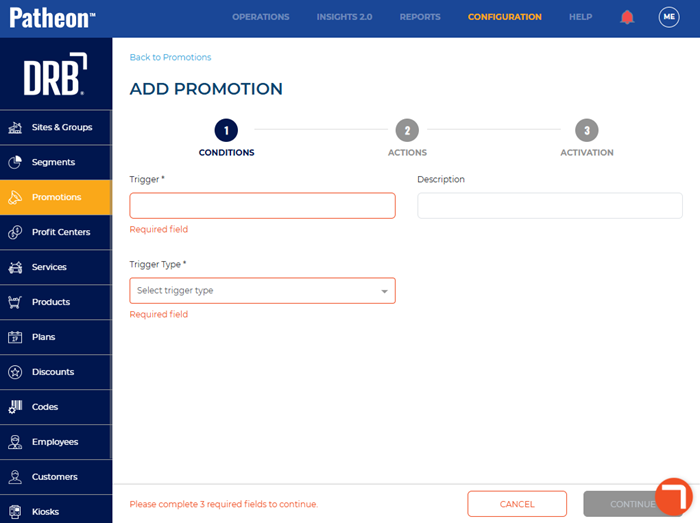
- In Trigger*, enter a name for the trigger, such as EWA Retention Offer.
- In Trigger Type*, select Plan discontinuation.
- In Message, enter the message to display when the discount is triggered. Note: To include customer or plan-specific information, select a message variable to insert it into the message.
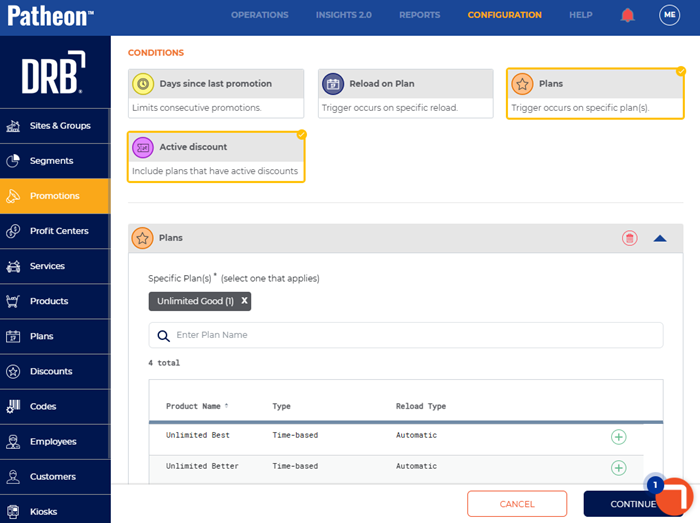
- Navigate to the conditions section.
- Select Plans. The Plans options open.
- Select the plan(s) that should trigger the discount.
- Select Active discount. The Active discount options open.
- Select Include plans that have active and pending discount periods.
Configure the Retention Promotion Actions
- Select . The add promotion (2 actions) panel opens.
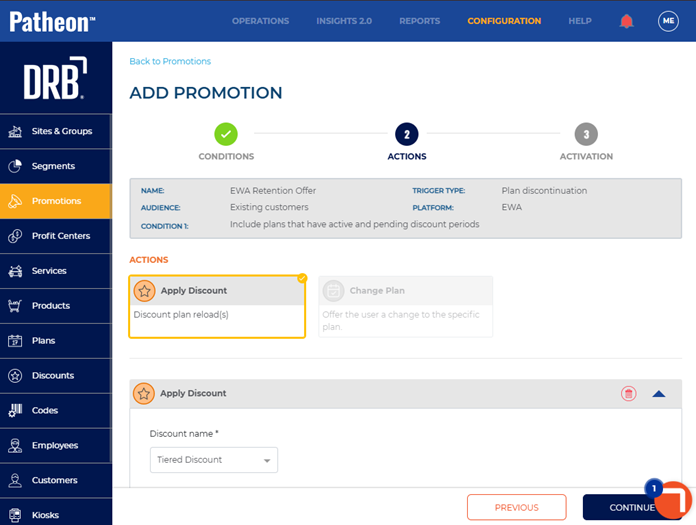
- Navigate to the Actions section.
- Select Apply Discount. The Apply Discount options open.
- In Discount name*, select the discount to apply. See Configure a Discount for an Active Wash Plan for steps to add and configure a discount for an active wash plan.
Activate the Retention Promotion
- Select . The add promotion (3 activation) panel opens.
- In Status*, select Active.
- Select . The promotion details panel opens and the retention promotion is active.