Kiosk Personalized Promotions

Personalized promotion workflows are customer-specific messages or offers that can be automatically displayed to specific customers, who belong to a specific customer segment, at a kiosk terminal, when the customer is identified (via license plate recognition). Deliver hyper-personalized experiences to customers based on their transaction, membership, and consumer data in Patheon.
When a customer pulls up to a kiosk terminal, Patheon automatically recognizes and cross-references the license plate against the customer segments you have created in personalized promotions. Patheon then delivers tailored promotions on the kiosk terminal screen, creating a seamless and automated experience that enhances consumer satisfaction and loyalty.
Currently, Patheon supports the following personalized promotion kiosk workflows:
- Personalized Welcome Screen: Present a personalized greeting at the kiosk terminal's welcome screen.
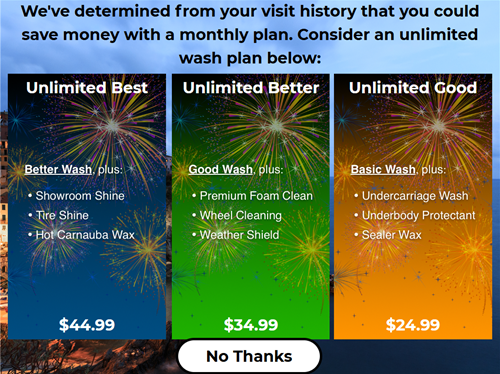
- Plan Conversion Promotion: Offer retail customers a plan membership offer.
- A-la-Carte Upsell for Plan Members: Offer plan members one-time a-la-carte options, where they pay the difference.
- SMS Text Message Opt-In to Catalyst: Provide customers the ability to opt-in to SMS marketing messages from a kiosk terminal.
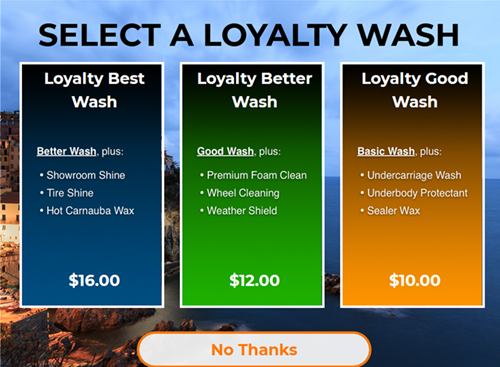
- Retail Loyalty: Offer discounts based on a customer's visit frequency or spend amounts.
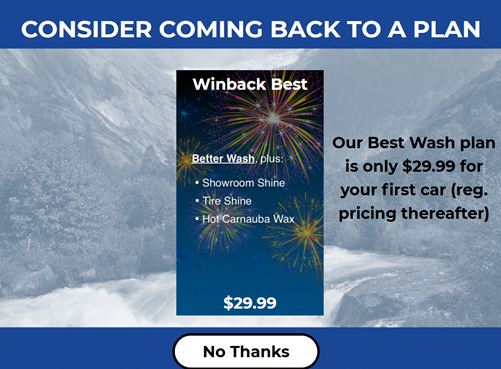
- Winback Offer: Offer an incentive for a plan membership to former plan members.
- Upsell to a Higher Tier Wash Based on A-la-Carte Selection: Present an upsell offer based on the selection of a wash and a-la-carte option(s).
- New Customer Offer: Present a customized experience for new wash customers, and/or an exclusive wash/plan offer.
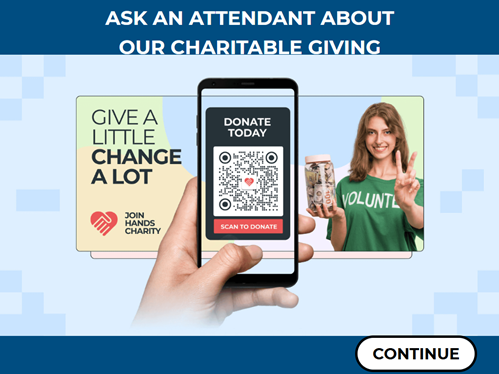
- Attended Alternative Screen: Provide an alternative flow that branches off from the base flow when an attendant selects a button on the Welcome screen, enabling an attendant to guide customers through the purchase process.
Get Started
The Patheon Promotion Flows feature is enabled by default for all organizations with license plate recognition.
FAQs
- What's required for kiosk terminal personalized promotions?What's required for kiosk terminal personalized promotions?
The kiosk terminal personalized promotions feature requires a kiosk terminal and (for most use cases) license plate recognition (LPR). Note that it can't be used with just RFID, because there are no customer segments based on RFID identification. Additionally, LPR creates a customer record upon reading a license plate, while RFID identifies the presence of a vehicle, but doesn't automatically create a customer record for unidentified RFID tags. For these reasons, the kiosk terminal personalized promotions feature only works with LPR.
Note: The personalized wash upsell workflow does not require license plate recognition.
- Can a site use kiosk terminal personalized promotions with only RFID?Can a site use kiosk terminal personalized promotions with only RFID?
No. Personalized kiosk promotions require license plate recognition. Sites that have RFID, but not license plate recognition, can still provide upsells and promotions at a kiosk terminal - just not kiosk promotions that are based on customer segments.
- Can a site use default widgets as backgrounds?Can a site use default widgets as backgrounds?
No. There is a potential issue with placing widgets behind a button.
- Does the kiosk terminal personalized promotions feature need to be enabled by DRB?Does the kiosk terminal personalized promotions feature need to be enabled by DRB?
Yes. However, DRB staff automatically enable the feature for all sites that have license plate recognition.
How It Works
The following information provides a high level overview about how kiosk personalized promotions work, along with some of the options and considerations to make when designing and configuring them.
Tools Required
- Customer segments
- License plate recognition
- Kiosk terminal(s)
- Patheon Promotion Flows feature enabled for the organization
Configuration
- Customer Segment: Who is the audience for the personalized promotion? Configure a customer segment to identify and target them.
- Kiosk Screen(s): What screen is displayed for the personalized promotion? Create the personalized screen to display to the customer segment.
- Trigger(s): What causes the personalized screen to display to the customer segment? Configure a trigger or triggers that will cause the personalized screen to display, and specify the customer segment to display it to.
Supported Workflow Promotions
The following personalized promotions are available to all organizations with license plate recognition and kiosk terminal(s).
Personalized Welcome Screen
Configure a static welcome screen when a customer is identified, via license plate reader, at a kiosk terminal.
Plan Conversion Promotion
Convert non-plan members by promoting the value of wash plans to returning retail customers through plan membership offers.
SMS Opt-In to Catalyst
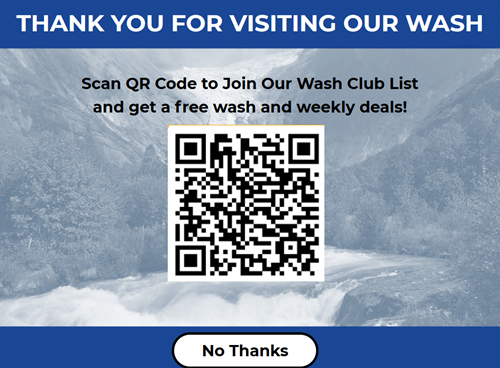
Increase your SMS text message marketing list by providing customers the ability to opt into text marketing messages that automatically feeds into Catalyst, your marketing automation platform.
Retail Loyalty
Create a personalized kiosk workflow that to reward retail customers who frequently visit or meet threshold spend amounts.
Win-Back Offer
Based on the customer history of being a previous member, offer an incentive for a plan membership to former plan members.
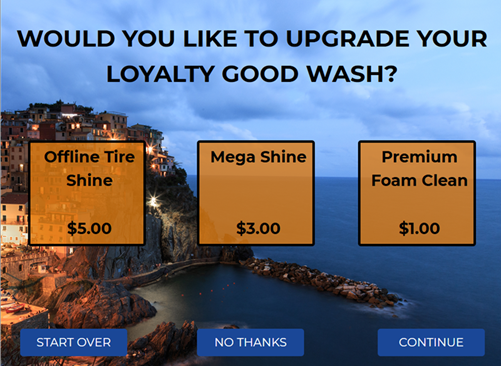
Upsell Based on A La Carte Selection
Present a higher tiered wash upsell offer based on the selection of a lower tiered wash and a la carte option(s) in the cart.
Note: Variations of this workflow configuration can alternatively be used to simply present multiple upsell screens after wash selection, before payment, that aren't necessarily based on a la carte selection.
New Customer Offer
Present a customized offer or experience for new wash customers, such as an exclusive wash offer or plan offer.
Alternative Attended Screen
Configure an alternative workflow, accessible via a button on the Welcome screen, optimized for a staff-guided experience to improve upsells and plan conversions. The attendant can select the button to open the alternative screen and assist the customer with their service or plan selection.
Note: Unlike some kiosk personalized promotion workflows, this one does not require license plate recognition.
Upsell One-Time A-la-Carte for Plan Redemptions
Offer TBAR wash plan members the option to purchase additional, one-time, a-la-carte products when they redeem their plan. Under this workflow, since the plan member receives their plan wash, they simply pay the price of the a-la-carte product(s) they add to their sale.
Note: Unlike some kiosk personalized promotion workflows, this one does not require license plate recognition.